Some stories stay with you because of a single sentence. Someone admits they were scared, or mentions a small detail you recognise from your own life. You want to respond to that part.
But the comment box sits underneath the whole post. Unless you quote the sentence yourself, the writer may never know which part prompted your reply. A comment like “Thank you for sharing” can be sincere and still leave that unsaid.
With Deeditt 2.15, you can reply directly to a sentence.
A comment under a post can be hard to place
On most platforms, a comment belongs to the post as a whole. That works for short updates, where there is only one thing to react to. It works less well for a deed about a loss, a difficult decision or a year that didn’t go as planned.
You might have advice about one part of the story and simply want to acknowledge another. Or there may be a sentence you recognise yourself in. When all the comments sit underneath the post, readers have to work out which part each person is answering. The writer may be left wondering too.
Comments can end up responding to the general mood, or to each other, while the sentence that prompted them gets lost in the conversation.
Start with the sentence you want to answer
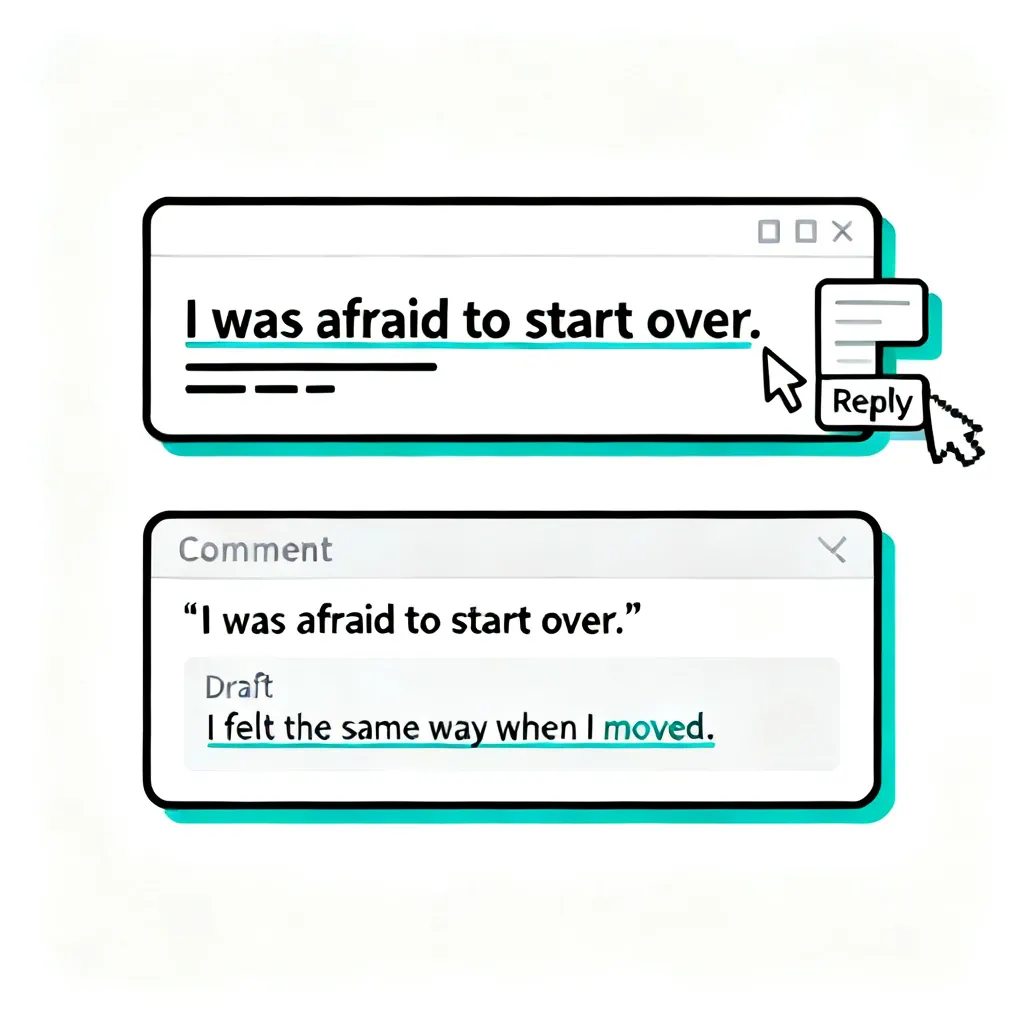
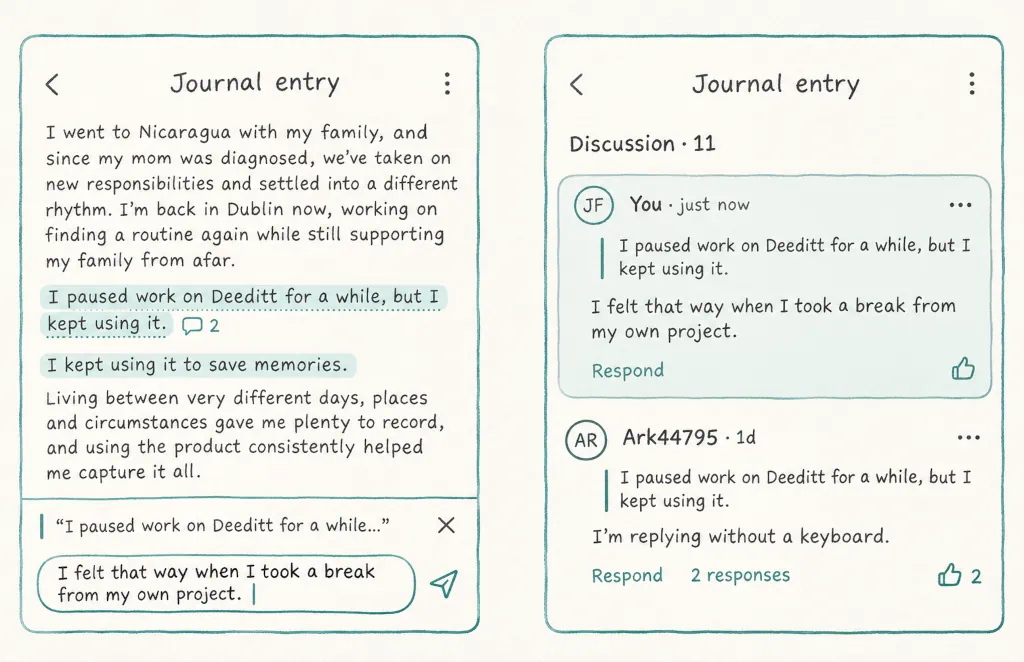
On Deeditt, you can now choose a sentence and comment on it. On the web, click the sentence and choose Reply. In the app, tap it and choose Comment.
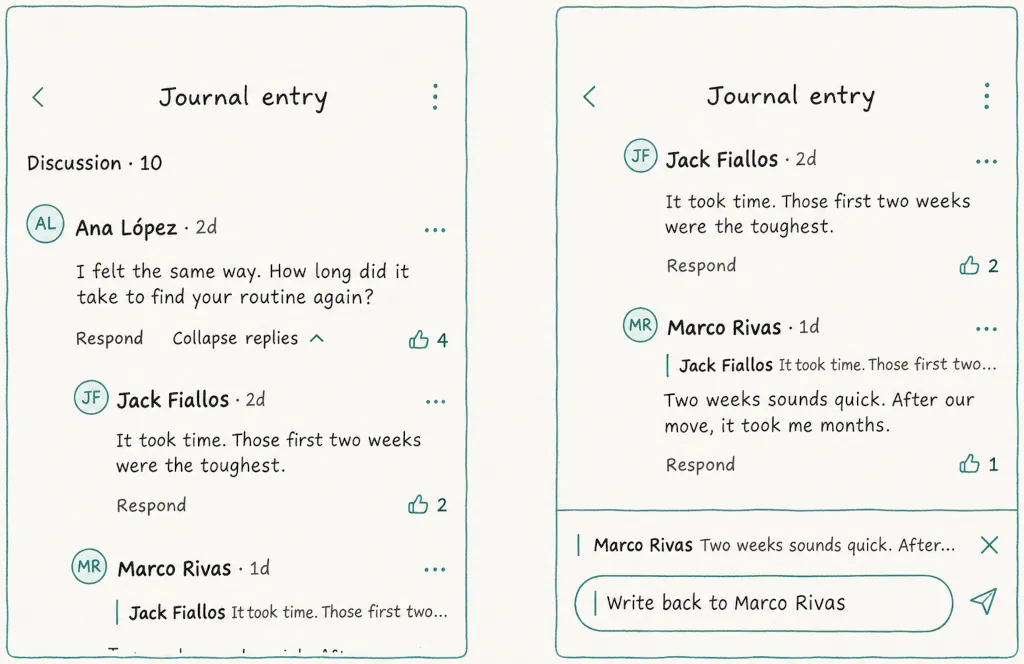
The sentence appears above your comment, so anyone reading it can see what you’re responding to. They can also tap the quote to find that sentence in the deed.
A sentence with comments has a small mark showing the comment count. Open it and choose View comments to read the conversation about that sentence. Different parts of a deed can have their own conversations, with each reply connected to the words that prompted it.
Highlight a sentence or reply to it
Sometimes you want to keep a sentence or let the writer know that something they wrote mattered to you, without starting a conversation. You can highlight it instead.
Highlighting adds a soft marker to the sentence and saves it in a private list only you can see. Other readers cannot see who highlighted it. The writer receives a notification with your name, but it does not identify the sentence.
A comment includes your words and your name. It is visible to everyone who can read the deed.
You can highlight a sentence, comment on it, or do both. The actions are separate: replying does not add a highlight, and highlighting does not start a conversation.
Why replies quote whole sentences
You quote the whole sentence, just as you do when highlighting. You cannot select only a few words.
We chose this because a fragment can leave out something that changes what the writer meant. That can be especially uncomfortable when someone is sharing a personal story. Quoting the full sentence gives readers more context and reduces the risk of misrepresenting it.
Using the same sentence boundaries for highlights and comments also keeps the marks and counts on a deed clear.
The writer can still change their words
A comment points to a sentence in the deed rather than keeping a separate copy of it. The quote reflects what is currently in the deed.
If the writer fixes a typo or changes a word, the quote updates and includes a note that its author edited it. If they remove or rewrite the sentence, your comment remains as you wrote it, with a notice that the sentence was changed by its author.
Before saving an edit, the writer is told if the change will affect sentences quoted in comments. This lets them revise their story while making readers aware that the words a comment originally answered have changed.
What doesn’t change
- Private deeds stay private. Nobody can comment on or highlight a private deed. Neither action changes who can see it.
- Highlights do not count toward rankings of people or deeds. Other readers cannot see who highlighted what; the writer’s notification names the person but does not identify the sentence.
- Blocking still works both ways. Someone you’ve blocked cannot comment on your sentences or see your highlights, and you will not see theirs.
- Highlights and sentence replies are free for every account.
A slower kind of conversation
Deeditt is built around deeds rather than posts, because real experience carries more than a quick update can hold. Commenting on a sentence follows the same idea: attention to what someone actually wrote, instead of a reaction to the general impression.
It’s a small change in how you comment, and we think it leads to better conversations. The next time a line in someone’s story stays with you, you can tell them which one.
You’ll find everything else in this release in the v2.15.0 release notes.